 YemshyPosLite
Simple. Fast. Reliable. Offline Billing.
Manage sales, products, stock, and receipts with a POS built for your business. YemshyPosLite keeps your core billing operations running offline, with your data stored locally.
Features
Everything a counter needs
Core POS workflows in one lightweight app. No clutter, no learning curve.
Fast Billing
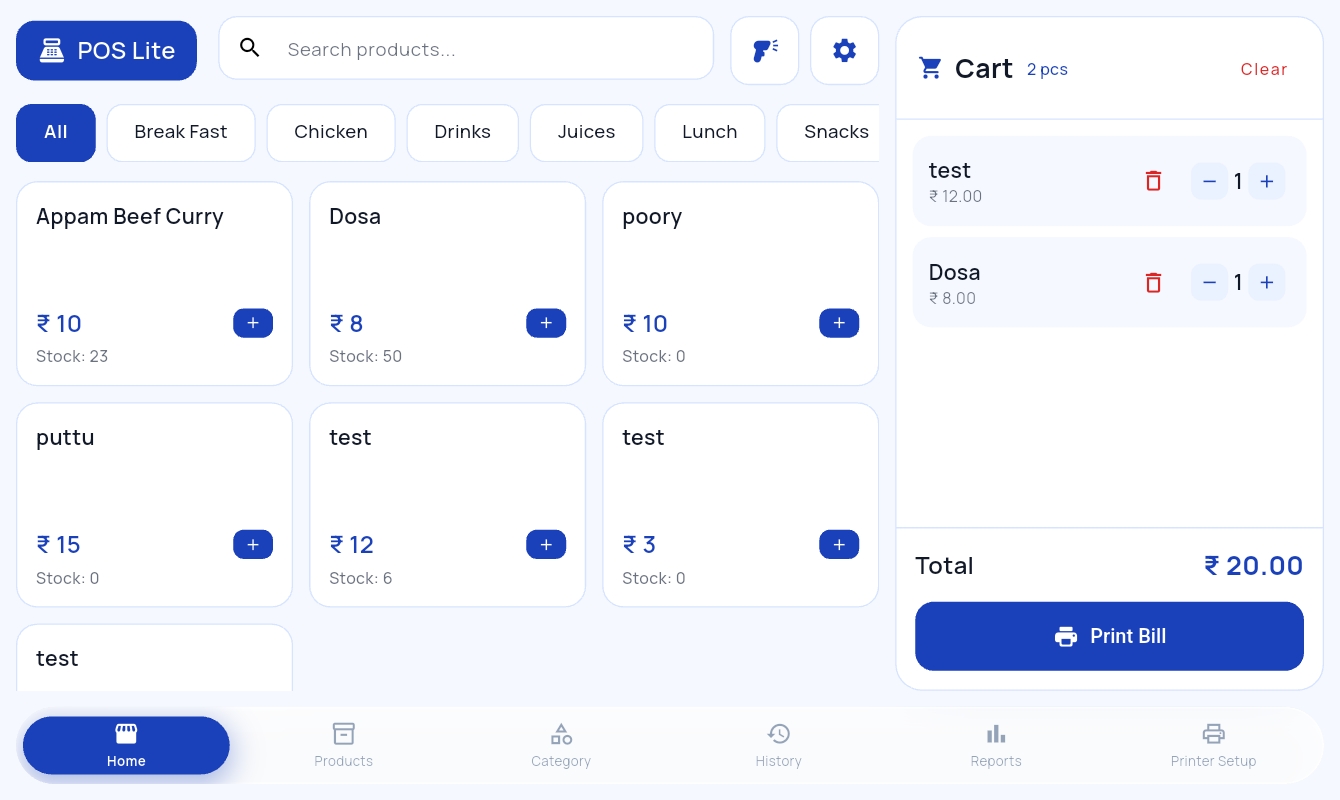
Add products to a cart, adjust quantities, calculate totals, and generate bills.
Product Management
Manage product names, prices, barcodes, and stock.
Category Management
Organize products into useful categories.
Order History
Review previous orders, inspect items, and print duplicate bills.
Inventory Management
Track stock and update quantities after sales.
Sales Reports
Review daily and monthly sales, revenue, taxes, and top-selling products.
PDF Reports
Generate, download, and print sales reports.
Thermal Printing
Supports ESC/POS receipt printers.
Offline Operation
Data lives in local SQLite, so core POS workflows continue without internet.
Product tour
See the real app
Actual screens from YemshyPosLite. Pick a screen, or click the image to enlarge.
Offline-first
Your billing should not stop when the internet does.
YemshyPosLite uses a local SQLite database. Core billing and management workflows run on your device.
Try it: switch the internet off. Core workflows stay the same. Only first-time OTP activation needs a connection.
How it works
Up and running in four steps
-
1
Install
Install the Windows or Android app.
-
2
Activate
Complete the one-time OTP activation.
-
3
Add products
Create your products and categories.
-
4
Start billing
Run your shop offline.
Downloads
Get YemshyPosLite
Direct downloads. Choose your platform.
Android
Download APKHow to install the APK
Open the downloaded file. Depending on your Android settings, you may need to allow installation from the source you downloaded it from, such as your browser or file manager.
Need help installing? See the FAQ.
Who it's for
Made for everyday retail
FAQ
Questions, answered
Does YemshyPosLite work without internet?
Yes. Core POS and billing workflows run offline. Initial activation may need internet.
Where is my data stored?
Locally on your device in an SQLite database.
Which platforms are supported?
Windows and Android.
How do I download the Windows version?
Click "Download for Windows" to get YemshyPosLite.exe, then open the file to install or run it.
How do I install the Android APK?
Click "Download APK", then open the downloaded file. Depending on your Android settings, you may need to allow installation from the source you downloaded it from (for example your browser or file manager).
Does initial activation need internet?
Initial activation uses an OTP and may require an internet connection. After successful activation, the app is intended for lifetime offline use.
Does it support thermal receipt printers?
Yes, ESC/POS receipt printers are supported.